Zombie Love Story AI for Couples
Zombie love story AI turns photos of the two of you into a tiny love story: one of you turns, the other stays. Ideas, story beats and posting tips below.
Updated
Trend examples made by creators and shown with their permission.
Make your zombie video
Pick an effect, add your photo and get a 15-second, multi-shot AI zombie video.
Model & video shape
By making a video, you confirm that everyone in your photos is you or an adult who agreed to be in it, and that you won’t use it to mislead or harass anyone. Content rules
Examples
Zombie AI video examples
Real clips rendered on Zombie Trend AI. Each card says what the input photo was.
Zombie love story in the snow
Zombie Love Story · 15s · Seedance 2.5 · 480p
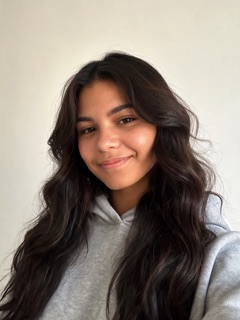
Make one like thisInput: Two AI-generated portraits, no real people: a woman (the one who turns) and a man.

Why couples love zombie love story AI videos
Every couple has joked about what they would do in a zombie apocalypse. A zombie love story AI clip answers it in 15 seconds: even if you turned, I would not leave. It is romantic without being sappy, and the horror setting gives it just enough humour to post publicly.
That is why zombie love story AI works for so many relationships. Long-term partners use it as an anniversary post, long-distance couples send it as a "miss you", and friends use it as an inside joke. It also works for parents and grown-up kids, or two best friends who would absolutely survive the end of the world together.
The story beats, built in
Our Love Story effect follows the beats of the viral clips, so you do not have to write or edit them:
- A cold, quiet present: one of you has already turned, grey-skinned and still.
- A keepsake, such as a bracelet or a ring, sparks recognition.
- Instead of running, the other one steps in for a hug.
- The story cuts to a warm, golden-hour memory of the two of you.
Zombie love story AI ideas for couples
The story beats stay the same, so the meaning comes from whose photos you use and the words you put around them. A few ideas that work well:
- Anniversary: caption it "Year 5 and I would still hug you".
- Long distance: send it with "Even like this, I would still find you".
- Wedding or engagement: pair it with the vows line "in sickness and in health".
- Best friends: "you are stuck with me, zombie or not".
- Apocalypse double feature: render your partner alone with the Apocalypse effect for the outbreak, then the two of you with the Love Story effect for the hug, and post them back to back.
What you get, honestly
Each zombie love story AI render is a 15-second, multi-shot video made by the Seedance 2.5 video model with a music score, or by MiniMax H3 if you pick it for fewer credits. It is vertical 9:16 by default, or landscape 16:9 if you prefer. Your photos are used as references for faces, and the scenes are new, so the video does not open on your original photo. The undead look is stylized movie makeup with no blood or weapons, so the clip stays sweet rather than scary.
How to make a zombie love story AI video
Add a photo of each of you
First the partner who turns, then the one who hugs. Clear, well-lit faces work best. One photo with both of you also works.
Generate with the Love Story effect
Keep the effect selected and pick vertical 9:16 or landscape 16:9. Every video is 15 seconds, with the full story built in.
Post it with a caption
Download the clip, add one line that means something to you two, and tag your partner if they want to be tagged.
Tips for a zombie love story AI video that lands
Use recent, clear photos
The AI copies faces from your photos, so sharp, front-facing pictures of how you look now keep the likeness closest.
Keep the caption short
One line under the clip, such as "I would still choose you", does more than a paragraph.
Pick the right order
The first photo is the partner who turns. Swap the photos if you want the other one to be the one who turns.
Post it together
Make sure your partner is happy with the clip before it goes public, and tag them if they want to be tagged.
What’s new on this page
New model choice: the zombie love story and zombie pet now run on Seedance 2.5 by default, our most cinematic model with a music score, or on MiniMax H3 for fewer credits. Prices are shown in credits per model.
Added a consent check: before each video, you confirm that everyone in your photos agreed to be in it.
Videos are now 15 seconds, multi-shot, with up to two photos.
Page published with couple story ideas, the Zombie Love Story and Zombie Apocalypse effects, and posting tips.
Frequently asked questions
How do I make a zombie love story AI video?
Add a photo of each of you, choose the Zombie Love Story effect, keep vertical or switch to landscape, then generate. You get a 15-second, multi-shot story without writing a prompt or editing clips together.
Can I use two separate photos for a zombie couple video?
Yes. Zombie love story AI takes up to two photos, one per person: the first is the partner who turns, the second is the partner who hugs. A single photo with both of you also works.
Does the video include the warm memory ending?
Yes. After the hug, the story cuts to a warm, golden-hour memory of the two of you, so you do not need to edit one in yourself.
Can I make a zombie apocalypse love story?
Yes, in two parts. Render one partner with the Zombie Apocalypse effect for the outbreak scene, render the two of you with Zombie Love Story for the hug, and post the two clips back to back.
How much does a zombie love story video cost?
A 15-second video costs 98 credits with Seedance 2.5 or 31 to 32 credits with MiniMax H3 (credit packs start at $9.90 for 100 credits). There is no free tier or signup bonus, credits never expire, and failed renders are refunded automatically.
Is it okay to make a zombie video of my partner?
Only if they agree. Use photos of people who said yes, and never photos of celebrities or other public figures.
More zombie AI video ideas
- Zombie Couple VideoMake the viral zombie couple video from two photos: pick a scene, choose who turns, post it.
- Zombie Hug AIPhotos of two people become a 15-second story where one turns into a zombie and still gets a hug.
- AI Hug GeneratorTurn a photo of each person into a warm, cinematic hug video at sunset.
- Zombie Mom AI VideoThe family version of the zombie trend: your mom turns, and you hug her anyway.
- Zombie Pet AI VideoThe pet version of the zombie trend: your dog or cat comes back as a zombie, and you open your arms anyway. Two-pet version too.
- AI Zombie TrendWhat the zombie trend is, where it came from and how to make your own version.
- How to Do the AI Zombie TrendThree ways, step by step: Dreamina with your own prompt, CapCut for the edit, or one click from your photos.
- AI Video Apps ComparedWhich app makes the viral trend clip: CapCut templates, Dreamina, PixVerse and one-click effects compared.
- Halloween AI Video GeneratorSpooky-fun Halloween zombie clips from a selfie, ready for Stories and party invites.
- AI Halloween TrendWhat the AI Halloween trend is, photo prompts to copy and how to make the video version.
Ready to make yours?
One or two photos, one effect, a 15-second zombie story. Credits never expire and failed renders are refunded automatically.